CCTalk
Voice input for Claude Code CLI
Speak to your terminal. CCTalk records your voice, transcribes it, and injects the text directly into Claude Code. No typing required.
Three simple steps
Press hotkey
Hold your configured shortcut to start recording
Speak naturally
Describe what you want Claude to do
Release to send
Your words are transcribed and injected into the terminal
Multiple Claude Code sessions
Working on several projects at once? CCTalk detects all running Claude Code instances and lets you choose which session receives your voice input.
- Auto-detects active Claude Code processes
- Quick session switcher from menu bar
- Remembers your last active session
Built for developers
Voice Recording
Hold a hotkey to record. Release to transcribe. Natural push-to-talk workflow.
AI Formatting
Apple Intelligence cleans up your speech — adds punctuation, fixes capitalization.
Instant Injection
Transcribed text goes straight into your terminal. No copy-paste needed.
Multi-language
ElevenLabs integration supports 99 languages. Apple Speech works offline.
Privacy First
On-device transcription with Apple Speech. Your voice never leaves your Mac.
Customizable Hotkeys
Set your preferred shortcut. Works system-wide, even when Claude Code has focus.
Simple and intuitive
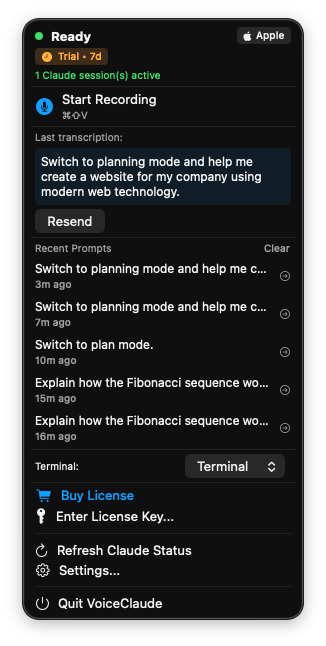
Quick access from menu bar
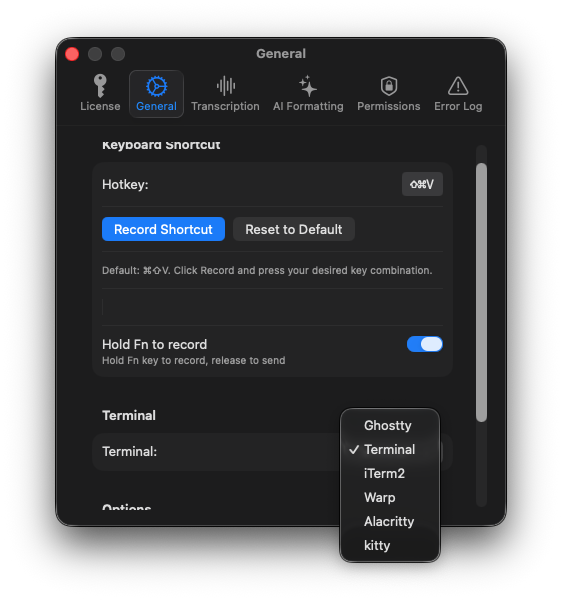
Configure hotkeys and behavior
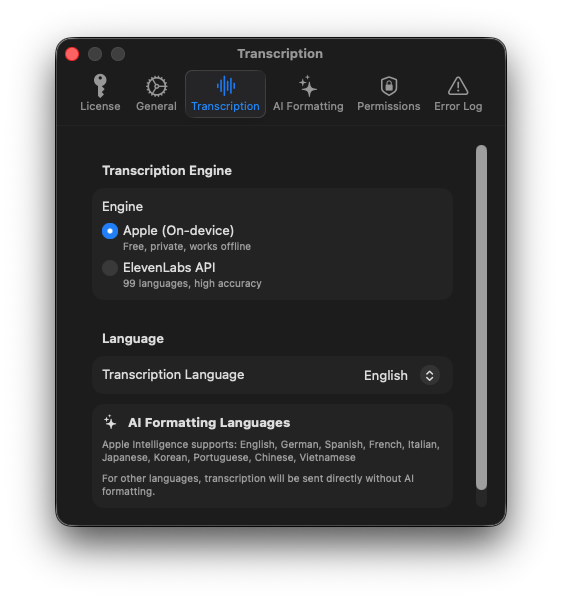
Choose your transcription engine
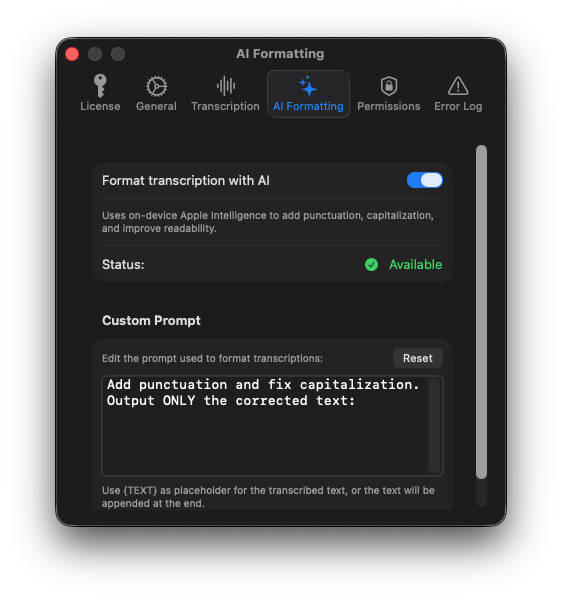
Apple Intelligence formatting
Works with your terminal
Free & Open Source
CCTalk is completely free to use. Download it now and start talking to Claude Code.
Join the Community
CCTalk is a passion project and contributions are welcome! Whether you're a developer, designer, or just have ideas — your input matters.